Microsoft continues to push the limits of what gamers can play on the go, with a new announcement that is set to thrill Windows gaming enthusiasts. The company confirms the Xbox Full Screen Experience, until now reserved for the ASUS ROG Ally, officially becomes available with the MSI Claw handheld series.
This move further solidifies Microsoft’s plan to unify the Windows handheld gaming experience, bringing console-like control and ease of use to a growing market of portable PC devices.
The MSI Claw brings notable performance courtesy of Intel’s processors, paired with a bright 7-inch display, while an Xbox-style interface now adds familiarity, simplicity, and immersion.
What Is the Xbox Full Screen Experience?
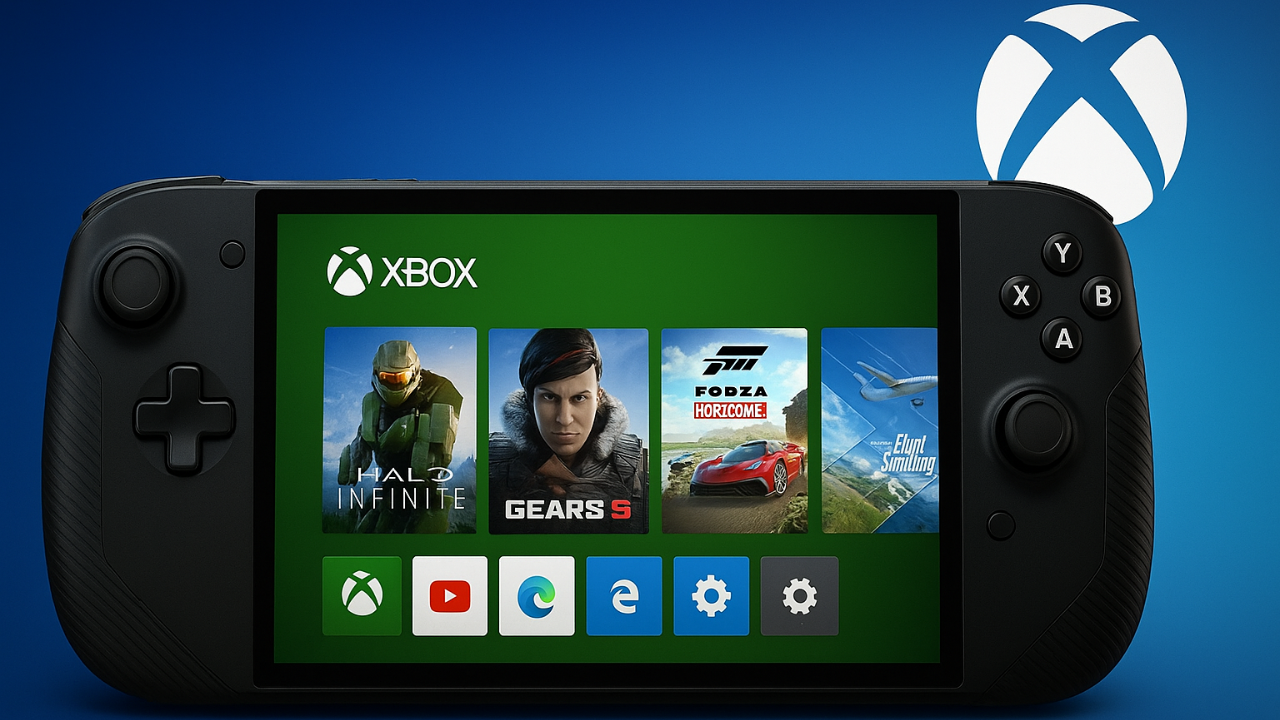
The Xbox Full Screen Experience is Microsoft’s new console-inspired interface designed specifically for Windows-based handhelds.
It offers an intuitive, controller-friendly dashboard where gamers can:
- Browse and launch games from Xbox Game Pass, Steam, Epic Games Store, and more
- Access Game Pass cloud streaming, achievements, and rewards
- View Xbox libraries, friends lists, and recent activity
- Control the entire system without needing a mouse or keyboard
The interface essentially transforms a Windows handheld into a true portable Xbox, giving users a fast, clean, and immersive UI experience.
Its popularity on the ROG Ally made expansion inevitable—and MSI Claw is the next major device to support it.
Integration with MSI Claw
The MSI Claw, powered by Intel Core Ultra processors, now fully supports the Xbox Full Screen Experience.
The update integrates seamlessly with MSI Center M, delivering:
- Optimized power and performance profiles
- Automatic Xbox/Microsoft account login
- One-touch Game Pass access from the home interface
- Native support for Xbox controller input, including vibration feedback
This makes the MSI Claw functionally closer to a handheld Xbox than ever before.
Features of the Xbox Full Screen Experience on MSI Claw

MSI Claw users will find the same polished interface that debuted on ROG Ally, including several refinements:
Unified Game Library
- Displays all local and cloud-accessible titles from Xbox, Steam, and other launchers
- Sorting options for genre, recent activity, and total playtime
Quick Resume and Cloud Sync
- Instantly resume your last played game
- Cloud saves sync automatically across Xbox and PC
Smarter Controller Navigation
- Full controller optimization for navigation and menu selection
- Low-latency inputs and responsive UI animations
Xbox Game Pass Integration
- Browse and install Game Pass titles directly
- Stream console games via Cloud Gaming Beta
System Overlay
- Adjust performance modes, brightness, network, and input mapping without leaving your game
Together, these features turn MSI Claw into a fully unified gaming platform.
How to Enable the Update
Microsoft has confirmed that the Xbox Full Screen Experience is now available through the Xbox App (Preview) on MSI Claw.
Steps to Activate:
- Update the Xbox App through the Microsoft Store
- Launch the Xbox App
- Sign in using your Microsoft or Xbox account
- Switch to Full Screen Mode via controller prompt
- Browse games and Game Pass content directly through the new dashboard
Once enabled, the device boots directly into the Xbox-style UI instead of the Windows desktop.
Why Microsoft’s Move Matters
The rollout of the Xbox Full Screen Experience to MSI Claw is part of a much larger strategy:
- Unify Windows handheld gaming under the Xbox brand
- Reduce complexity for players transitioning from consoles
- Expand Game Pass usage across portable devices
- Strengthen partnerships with OEMs like ASUS, MSI, and Lenovo
As handheld PCs grow rapidly, Microsoft wants Windows to be the dominant operating system — not just on desktops, but in portable gaming.
Performance on MSI Claw
The combination of Intel Arc graphics and MSI’s cooling design has shown strong results running Microsoft’s interface.
Early tester feedback highlights:
- Faster game launches
- Improved multitasking due to optimized memory use in the Xbox App
- Better controller responsiveness
- Minimal input latency when navigating menus
- Crisp rendering of UI elements on the 7-inch 1080p 120Hz display
The interface scales flawlessly, making the experience feel console-grade.
Comparison: ROG Ally vs MSI Claw
| Feature | ROG Ally | MSI Claw |
|---|---|---|
| Processor | AMD Ryzen Z1 Series | Intel Core Ultra |
| Display | 7” FHD 120Hz | 7” FHD 120Hz |
| Xbox Full Screen | Native | Added through update |
| System Hub | Armoury Crate SE | MSI Center M |
| Battery Efficiency | Slightly stronger GPU efficiency | Stronger CPU-driven performance |
Both devices now provide an almost identical Xbox-like navigation experience.
The Future of Windows Handheld Gaming
Microsoft’s ongoing improvements signal a major shift:
- Windows handhelds are becoming mainstream
- Controller-first UI design is replacing keyboard-centric navigation
- Game Pass is becoming central to cross-platform gaming
- More devices (Lenovo Legion Go, AYANEO series) are expected to adopt the Xbox UI soon
Handheld Windows gaming is evolving rapidly, and Microsoft is positioning itself at the center of this transformation.
Conclusion
The arrival of the Xbox Full Screen Experience on the MSI Claw marks an important milestone in Microsoft’s handheld gaming strategy.
By delivering a unified, intuitive, and console-grade interface, Microsoft makes portable PC gaming more accessible and more enjoyable than ever.
Whether you’re a Game Pass subscriber, a PC gamer, or simply someone who enjoys playing on the go, this update unifies the best of both worlds: PC performance with Xbox simplicity — now fully realized on the MSI Claw.