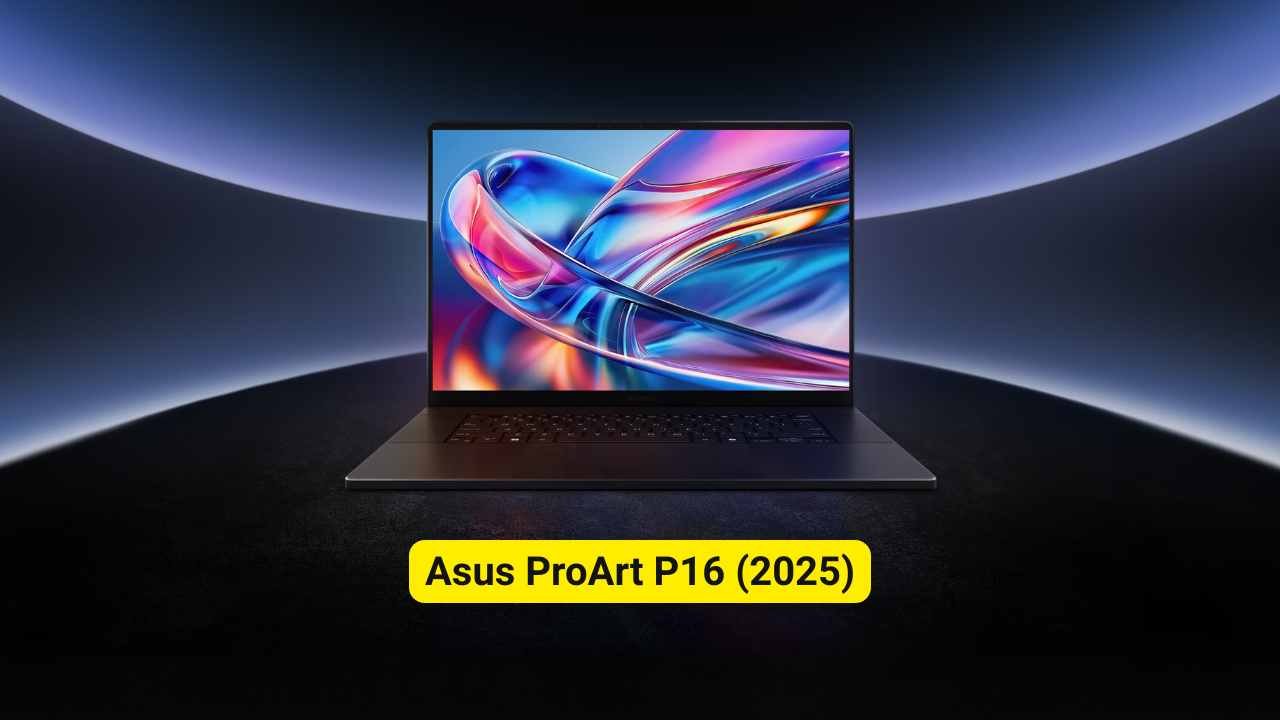
The Asus ProArt P16 (2025) is designed with one objective: to provide creators with a workstation-class laptop featuring unbeatable performance, a professional display, and creator-centric tools. For Asus, the P16 is positioned as the ultimate portable studio for filmmakers, designers, editors, 3D artists, and AI-focused professionals.
But the big question remains: Can it finally rival — or even beat — the MacBook Pro?
Let’s dive in.
Asus ProArt P16 (2025) — Full Specifications Table
| Category | Specification |
|---|---|
| Model | Asus ProArt P16 (2025) |
| Display | 16-inch 4K UHD+ OLED, 120Hz, Touchscreen |
| Processor | AMD Ryzen AI 9 HX 370 |
| GPU | NVIDIA GeForce RTX 5090 Laptop GPU |
| RAM | Up to 64GB LPDDR5X |
| Storage | Up to 2TB PCIe 4.0 SSD |
| Battery | 90Wh, Fast Charging |
| Webcam | 1080p IR + Windows Hello |
| Audio | 4 Speakers + Dolby Atmos |
| Ports | USB4 Type-C, USB-C, 2× USB-A, HDMI 2.1, SD Express 7.0, 3.5mm jack |
| Connectivity | Wi-Fi 7, Bluetooth 5.4 |
| Dimensions | 354.9 × 246.9 × 18.3 mm |
| Weight | Approx. 1.95 kg |
| Operating System | Windows 11 |
| Color | Nano-Black Aluminum |
Design & Build: Premium, Professional, and Solid

The Asus ProArt P16 features a premium all-metal chassis with a minimalist, professional aesthetic. The body is sturdy, rigid, and surprisingly portable for a creator-grade 16-inch laptop.
Design Highlights
- Slim 18.3mm profile
- Approx. 1.95 kg weight
- CNC-milled aluminum body
- Matte Nano-Black finish
The laptop feels premium throughout and is clearly designed for professionals who need both power and elegance.
Display: One of the Best Creator Screens Ever Made

A 16-inch 4K OLED display (3840×2400) with a 120Hz refresh rate makes the ProArt P16 one of the best displays you can get on a creator laptop.
Key Display Highlights
- 4K UHD+ OLED touchscreen
- 120Hz refresh rate
- 100% DCI-P3 color gamut
- Factory-calibrated (Delta E < 1)
- HDR support with up to 1600 nits peak brightness
- VESA DisplayHDR True Black certification
For color-critical work—8K editing, 3D animation, or design—this display is easily among the sharpest and most vibrant available.
Performance: A Creator Powerhouse
Inside, the ProArt P16 is equipped with some of the most powerful laptop hardware of 2025.
Hardware Configuration
- AMD Ryzen AI 9 HX 370 – 12 cores, high-performance NPU
- NVIDIA GeForce RTX 5090 Laptop GPU – next-gen ray tracing and AI acceleration
- Up to 64GB LPDDR5X RAM
- Up to 2TB PCIe 4.0 SSD
Perfect For
- 4K and 8K video editing
- AI model workloads
- Blender 3D rendering
- Unreal Engine development
- Multi-layer Photoshop and Illustrator
- Real-time color grading
It delivers workstation-class performance in a relatively portable body—a major achievement for Asus.
Keyboard, Trackpad & Audio

Typing is comfortable with deep key travel, and the large glass touchpad feels smooth and responsive.
Additional Features
- 1080p IR webcam with Windows Hello
- Dolby Atmos support
- Four-speaker setup
- AI noise cancellation for calls
Great for remote work, editing, and collaboration-heavy workflows.
Battery Life
A 90Wh battery powers the ProArt P16, performing decently for such powerful hardware.
Battery Estimates
- Up to 7 hours of normal productivity
- Around 4 hours of heavy creative workloads
- Supports fast charging with a 240W adapter
While good for its class, it does not beat the MacBook Pro—no Windows creator laptop does—but it remains competitive.
Connectivity & Ports
One of the strengths of the ProArt P16 is its extensive port selection—something many modern laptops overlook.
Port Selection
- 1× USB4 Type-C
- 1× USB-C 3.2 Gen 2
- 2× USB-A 3.2 Gen 2
- 1× HDMI 2.1
- 1× SD Express 7.0 card reader
- 1× 3.5mm headphone jack
- Wi-Fi 7 + Bluetooth 5.4
A major advantage compared to the port-limited MacBook Pro.
Pros & Cons
Pros
- Breathtaking 4K OLED display
- Extreme performance for creators
- Premium metal build
- Plenty of ports, including SD card reader
- Great speakers and webcam
- Excellent color accuracy
Cons
- Expensive
- Battery life could be better
- Can get warm under full load
Final Verdict – Is It a MacBook Pro Killer?
Yes — for many creators, absolutely.
The Asus ProArt P16 (2025) is one of the few laptops that truly challenges the MacBook Pro’s dominance in:
- Display quality
- Raw CPU/GPU performance
- Color accuracy
- Port selection
- Creator-focused features
With its RTX 5090 GPU and advanced cooling, the ProArt P16 can outperform the MacBook Pro in workflows centered around heavy 3D, GPU-accelerated software, AI workloads, and real-time rendering.
Where the MacBook Still Wins
- Battery life
- Fan noise
- OS-level optimization
Overall, the ProArt P16 is easily one of the best creator laptops of 2025 and a genuine threat to the MacBook Pro’s workstation crown.