Apple has officially rolled out iOS 26.1 update, the latest iteration of its mobile operating system, featuring several design improvements, usability refinements, and important security patches. The centerpiece of this update is a new “Liquid Glass” setting that lets users adjust the transparency effect that defined iOS 26’s bold new look. But that’s not all: the company has also thrown in new privacy controls, accessibility options, and under-the-hood performance enhancements.
Let’s dive into what’s new in iOS 26.1, why this update matters, and how it improves your iPhone experience.
A Closer Look at the New Liquid Glass Setting
When Apple introduced Liquid Glass with iOS 26, it was touted as a game-changing visual design, featuring a seriously smooth, fluid interface that merged layers of apps and backgrounds with realistic depth and motion. However, that design drew mixed responses. Although many praised its modern and immersive aesthetic, others found it way too transparent, making text and icons hard to read against bright or complex wallpapers.
Apple has taken that critique quite seriously.
With iOS 26.1, users now get a new toggle under Settings → Display & Brightness → Liquid Glass, providing two different modes:
- Clear Mode: The original highly transparent look, for those who just want full visual depth and shine in the design.
- Tinted Mode: A semi-opaque variant that reduces transparency for improved legibility and eye comfort.
This indeed speaks directly to people’s complaints about eye strain and dizziness. TechRadar, The Verge, among other outlets, have pointed out that the new option makes iOS 26.1 update “more usable and visually balanced” without sacrificing Apple’s characteristic elegance.
For power users who love to customize, this setting has real value: You can choose whether you want a minimal, glassy aesthetic or something more down-to-earth and readable.
New Camera and Music Controls
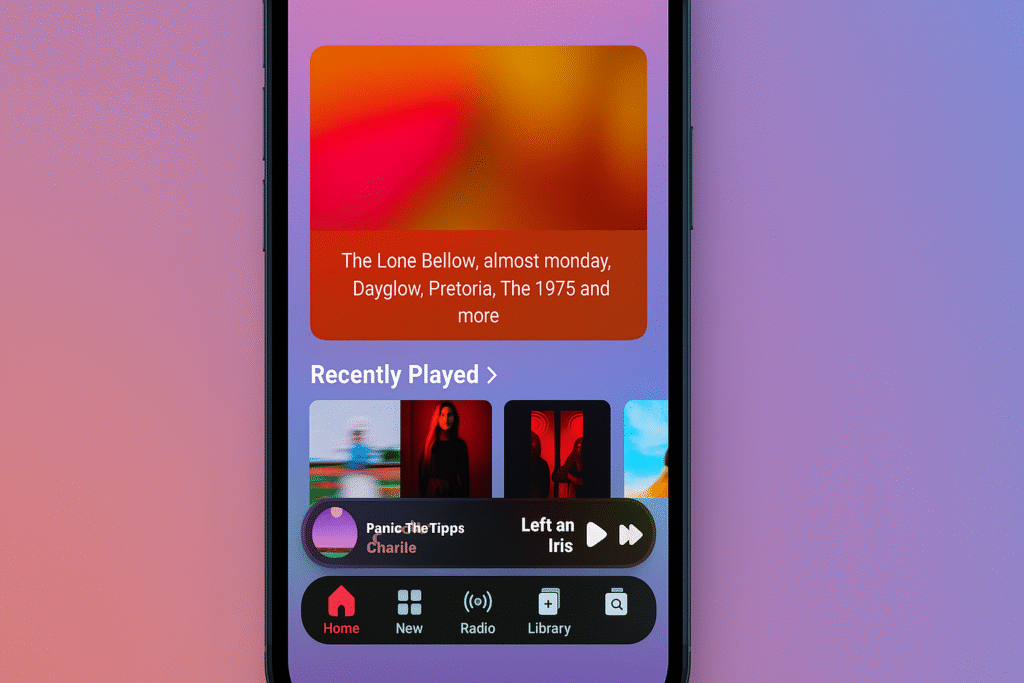
Apart from the Liquid Glass toggle, iOS 26.1 update brings a handful of practical improvements to further fine-tune your iPhone experience.
Lock Screen Camera Toggle
Adds a new option to Settings → Camera that lets users disable the swipe gesture that opens the Camera app from the lock screen. The addition seems small, but this may finally solve one of those long-standing annoyances for many users who accidentally opened Camera while trying to check their notifications or swipe widgets.
It’s also a subtle but valuable privacy measure—preventing others from getting access to the camera feed on your phone when it’s locked.
Mini-Player Gestures for Apple Music
Music lovers get a small but delightful update as well. The Apple Music mini-player now supports swipe gestures:
- Swipe left or right on the mini-player to skip to the next or previous track.
- This makes the management of music quicker and intuitive, especially during multitasking.
UI and Visual Refinements
Apple’s attention to detail continues with subtle UI adjustments across many system apps. Here’s a quick rundown of some visual changes in iOS 26.1:
- The glow effect of Liquid Glass has been softened, which helps reduce glare when using text fields or buttons.
- Phone application keypad buttons now have a refined reflective sheen for better depth perception.
- The controls in the Photos app’s video playback interface are much clearer, and the backgrounds have also been redesigned to provide better contrast.
- Starting today, Live Translation on AirPods will support more languages, including Chinese (Simplified and Traditional), Japanese, Korean, and Italian.
- These tweaks, combined, make iOS 26.1 more polished, responsive, and human-centered.
iOS 26.1 update Security and Privacy Fixes
Apple does not disappoint in terms of protecting the safety of its users. iOS 26.1 comes with a number of significant security patches and privacy enhancements. Because not all the vulnerabilities are disclosed for security reasons, here’s what Apple confirms:
- Improved stability and audio quality in FaceTime when on low-bandwidth connections.
- What’s new in Communication Safety: For children and teen accounts (aged 13-17), adult content filters are now on by default, adding an additional layer of protection when browsing the web.
- Bug fixes for kernel-level vulnerabilities and WebKit security issues that could previously allow malicious code execution.
- For users who value privacy, these changes make iOS 26.1 one of the most secure yet.
Why the Liquid Glass Update Matters
The Liquid Glass design was Apple‘s most ambitious UI overhaul since the introduction of the flat design language in iOS 7. It brought back texture and motion in a very futuristic manner, but it also ended up creating rather unwanted usability challenges.
Critics called it “visually stunning but functionally flawed”. Many users felt that the overly translucent elements made text unreadable or distracting. Some even reported symptoms of eye strain and vertigo, particularly when switching between bright and dark themes.
Apple’s response to user feedback is clear with iOS 26.1. Not taking a step back from the concept of Liquid Glass, Apple refined it, giving options to tone it down, yet keeping the beauty of it. This move just perfectly defines Apple‘s design philosophy: evolve with care, not compromise.
Other Notable Improvements
In addition to visual and security updates, iOS 26.1 includes several under-the-hood enhancements:
- Smoother animation on older devices.
- Optimizing battery performance when using high-refresh-rate displays.
- More stable Bluetooth connections with AirPods and third-party accessories.
- Reduced stutter in switching between multitasking apps.
In fact, these updates make iOS 26.1 not only safer but also smooth and more efficient across a range of iPhones, including older models like the iPhone 13 and 14 series.
Tips After iOS Update to 26.1
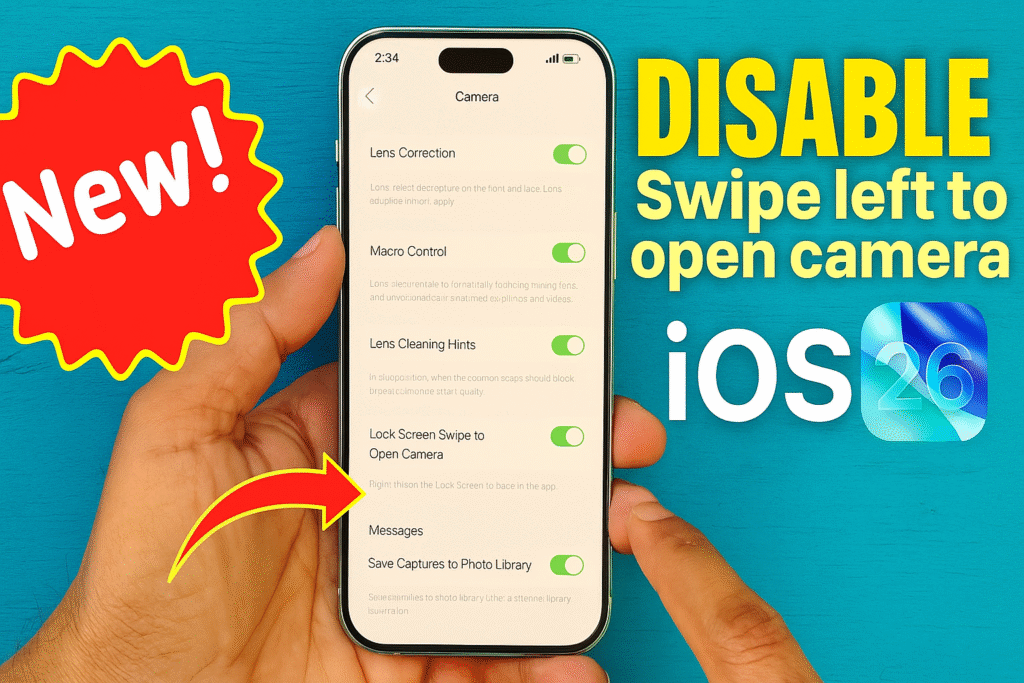
Once you’ve installed the update, here are a few things worth checking:
- Experiment with the Liquid Glass setting: Clear vs. Tinted to find what’s comfortable for your eyes.
- Head to Settings → Camera and disable Lock Screen swipe if you find yourself opening the camera by accident often.
- Give the new gestures a try in Apple Music for quicker playback.
For extra accessibility, head to Settings → Accessibility → Display & Text Size and toggle on “Reduce Transparency” or “Increase Contrast.” These work great alongside the new Liquid Glass modes.
Performance and battery life may vary during the first 24 hours: background indexing and optimisation may temporarily influence both.
Closing Remarks
The iOS 26.1 update might seem like a minor point release, but in reality, it’s a meaningful refinement to Apple‘s evolving design direction. The new Liquid Glass transparency toggle is a thoughtful solution to user feedback that threads the needle between visual flair and practical usability. Featuring added security protections, more language support, and smoother performance, iOS 26.1 feels like the version iOS 26 should have been from the get-go. Living in a time when smartphones are deeply integrated into daily life, even minor changes—like the option to reduce transparency or the capability to disable camera gestures—can make quite a difference in comfort and control. If you haven’t updated yet, go into Settings → General → Software Update and install iOS 26.1 today. It is not just another update; it’s Apple refining the art of simplicity and function one version at a time.